

Welcome back to my blog! This is an exciting post where I review 2 design tools; Homestyler and Foyr Neo. As an Interior designer, it is important to have the right tools to convey your designs to a client. I have worked with various tools to mock up my designs and translate my vision to my clients. From creating moodboards using photoshop to 3D designs, I have done it all. I have tried a plethora of tools and I have weighed the advantages and disadvantages of each based on what works best for my business at the moment. As a business owner, it is important to weigh the value of a savy new product and the potential cost attached, learning curve etc to determine if it is the best course of action. I decided to write up this blog post to provide some answers I wish I had when I started investigating web based design tool options for my business.
One of the things I love the most about 3D design and rendering is that a client can immediately see exactly how their space will look like at the end of the project. I have been successful in the past with 2D moodboards but people are visual and I love the fact that you easily show the transition from the design to the real life space. Adding the 3D rendering option to the list of my deliverables has been a huge game changer. I recently concluded a project where I documented how the space went through the design process, you can check it out here.
Overview
Homestyler provides efficient online 3D interior design tools to designers and providing solutions of digital transformation for furniture and real estate industry. The Homestyler website can help create your entire house from scratch and decorate with products from over 200 real furniture brands and walk around your project in real time thanks to the 3D view. Homestyler has web, mobile, AR and VR capabilities. The best part of it is that it is FREE (for most part)
Foyr NEO helps you convert your ideas from 2D plans, to 3D designs, to photorealistic renders within minutes. A Neo subscription comes with a catalogue of 50,000+ pre-3D modeled products. You can also upload your own 3D models for limitless designing. Neo also comes with a globally curated collection of pre-made designs for home interiors, kitchens, offices, and more.
Pricing
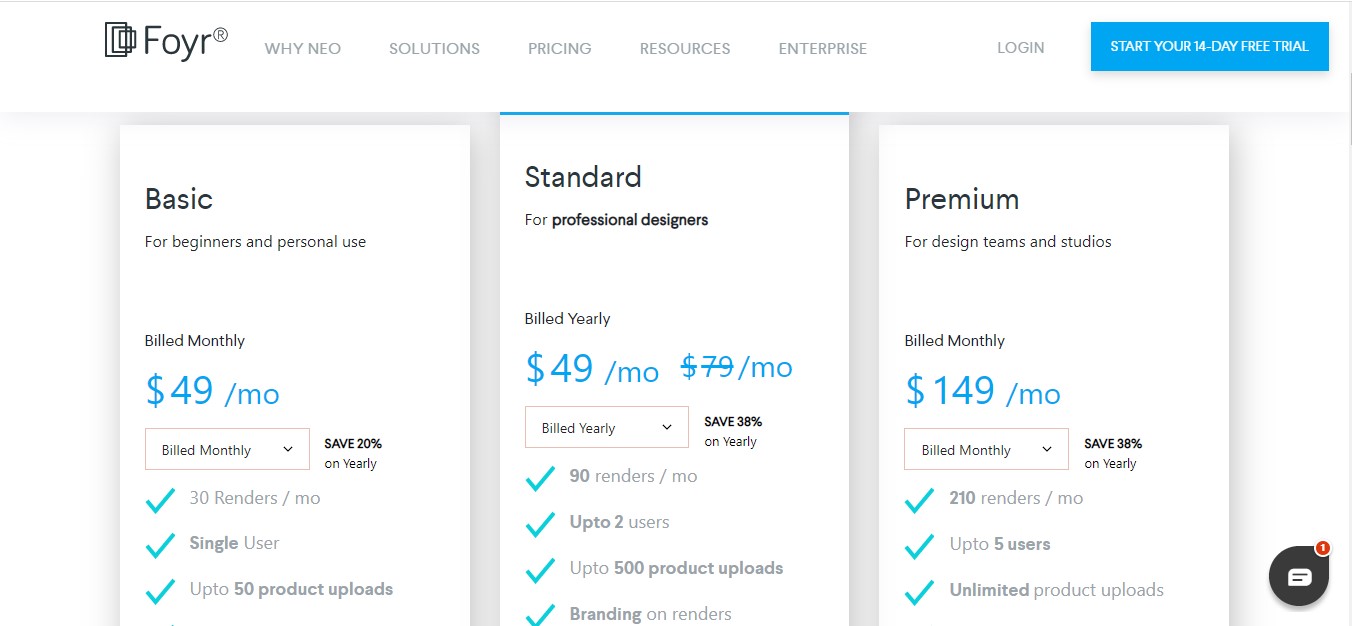
Homestyler is a lot cheaper than Foyr Neo for similar functionality. And it also helps that there is a Basic plan that is free so you can try the tool and get comfortable with it before you invest in it. Foyr has a 14 day trial period and that might be enough to do a crash course on the tool and get familiar if you are really dedicated.

Now lets get to why we are really here – To see a visual side by side comparison of both tools and my thoughts as an Interior designer.
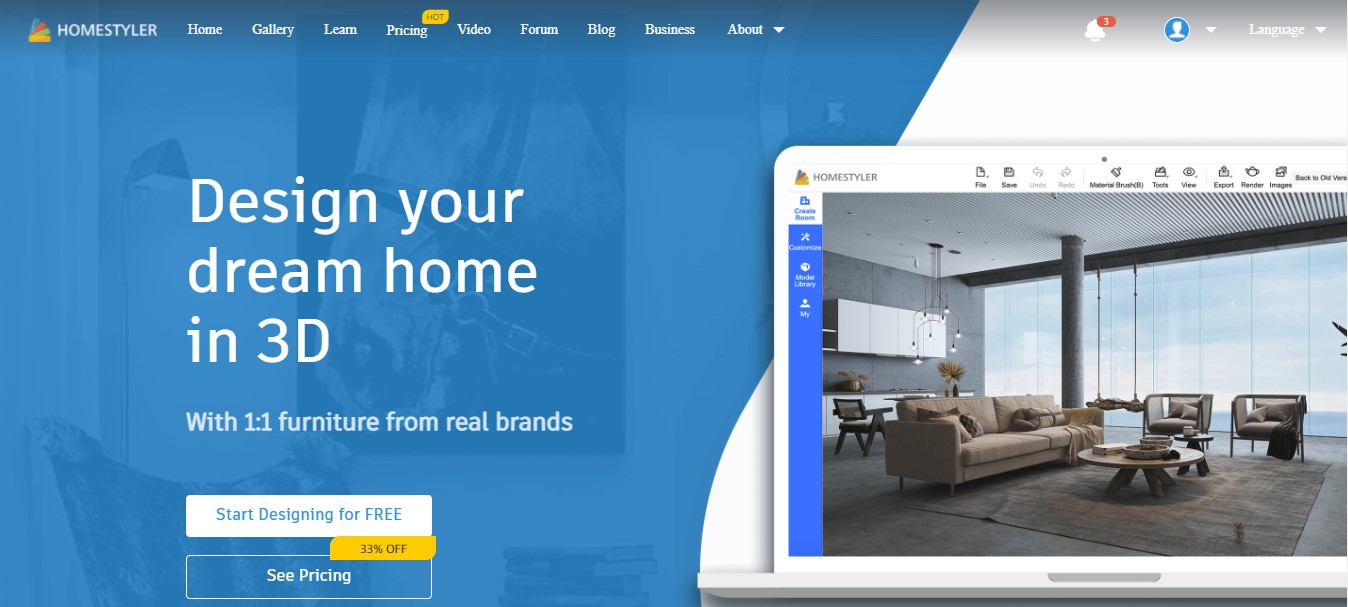

User Interface
They are both web tools that can be accessed online. They launch you to a dashboard when you log in and you can view your projects, access tutorials etc.


They have a similar grid interface with options to draw a room easily accessible. They are intuitive and easy to use, but that could be because I have experience with using similar tools and there wasn’t a huge learning curve.
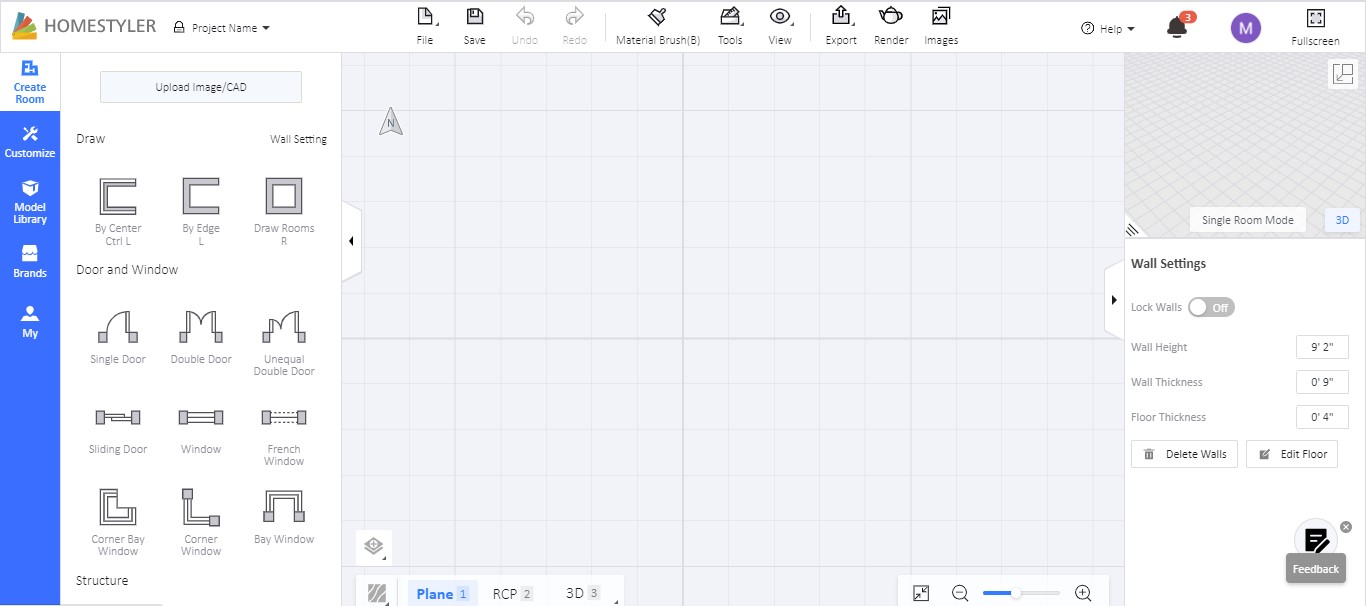
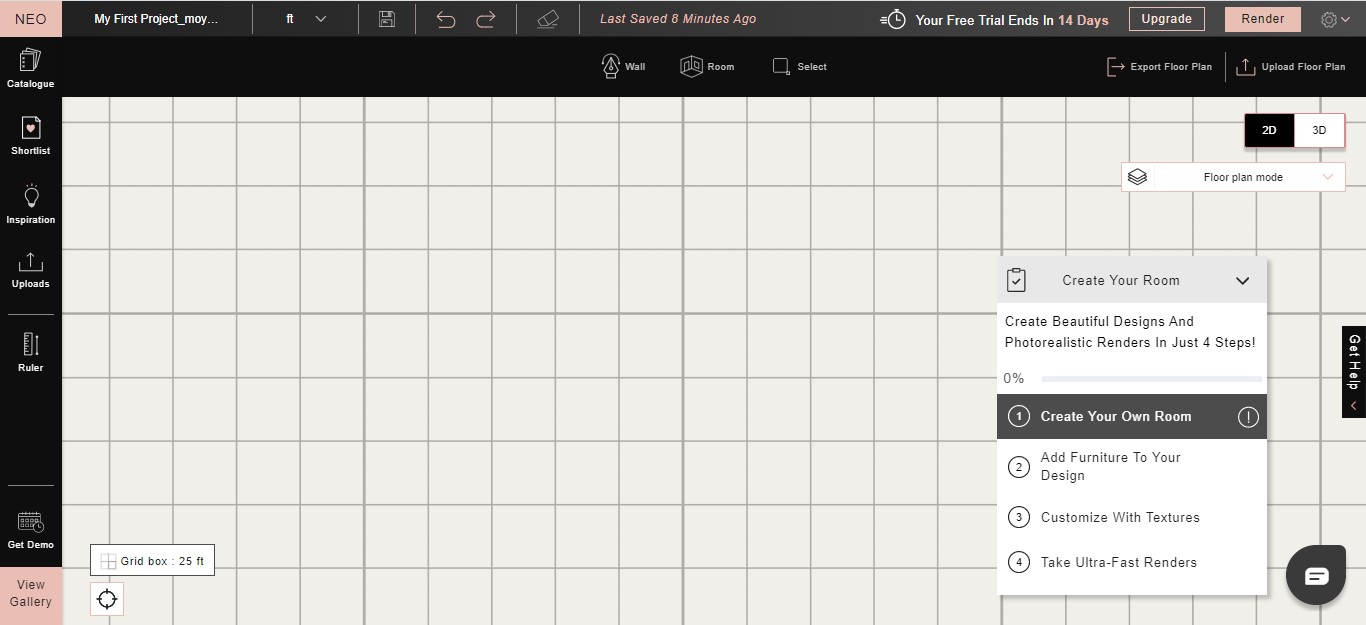
It took around the same time to draw a simple floor plan. However with homestyler, I can easily add customizations such as doors, windows etc from the same interface but with Foyr, I had to go into a separate page to search for and add these elements.
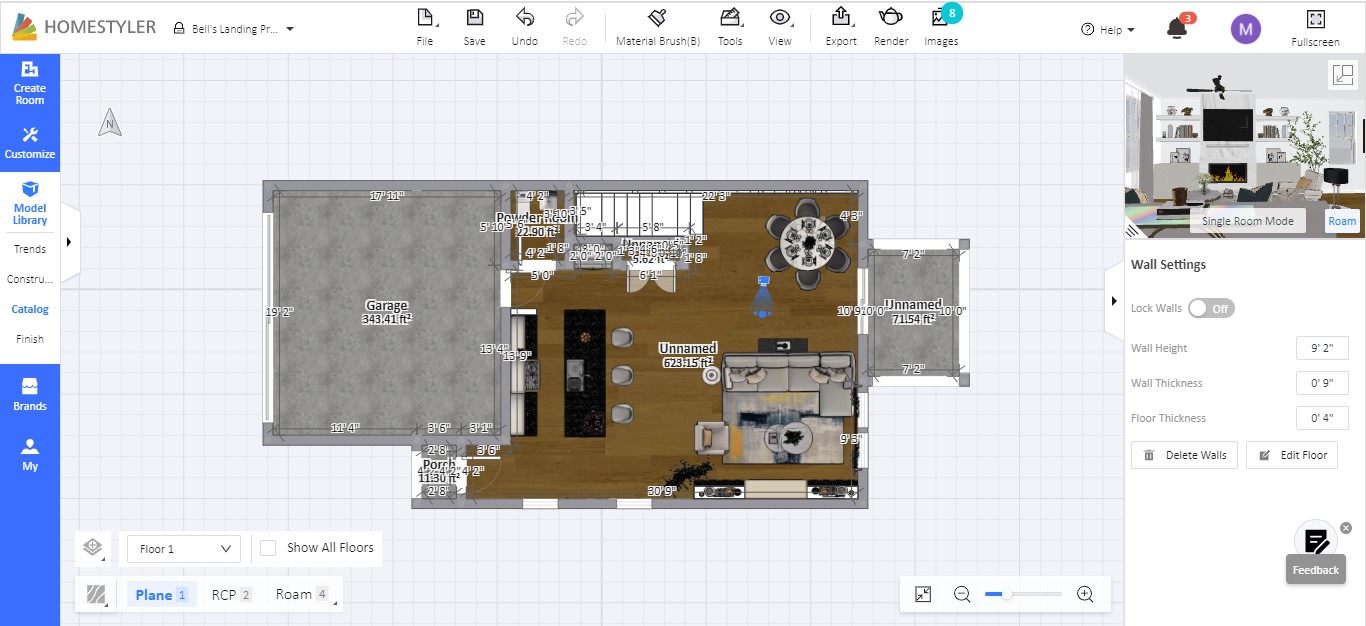

Its worth noting that they both have a lag in my opinion especially with larger projects when everything hangs and you have to refresh in order to continue.
Product Catalog
Foyr has a lot more current options than Homestyler does in terms of furniture, accessories, kitchen designs etc. For example, Homestyler has a range of kitchen cabinetry which doesn’t really work for my designs so I use 1 particular range which I can always customize to what I want so I can change the cabinet size, color, accessories etc. With Foyr, they have A LOT of options for cabinetry with different sizes and styles. I actually went into a rabbit hole just looking at the various options and unable to decide which one works best for my project. Same with furniture items, Foyr had options that were similar or same as real life stores like west elm, restoration hardware etc. This makes it easy to design and see what the exact furniture item will look in your space. For both, there are options to import you own 3D model to achieve this which I talk about in more detail below.


One thing I love about Homestyler is that when you save an item from the catalog, you can access it from ALL projects. So if you find an item you like while browsing the catalog options within one project, if you create another project, you’ll be able to access those items, However with Foyr, whenever I save an item I like, I can only access it via the same project. If I create a new project, I have to search for that item again which hasn’t been a great experience for me.
Custom Design Options
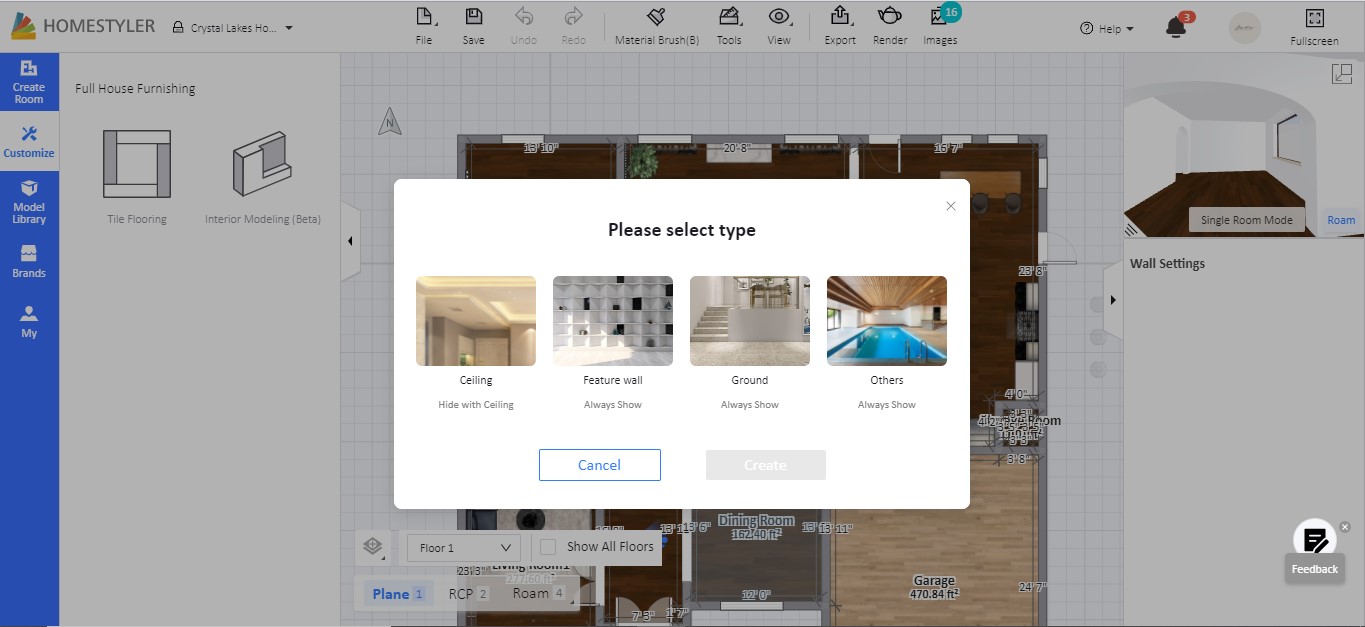
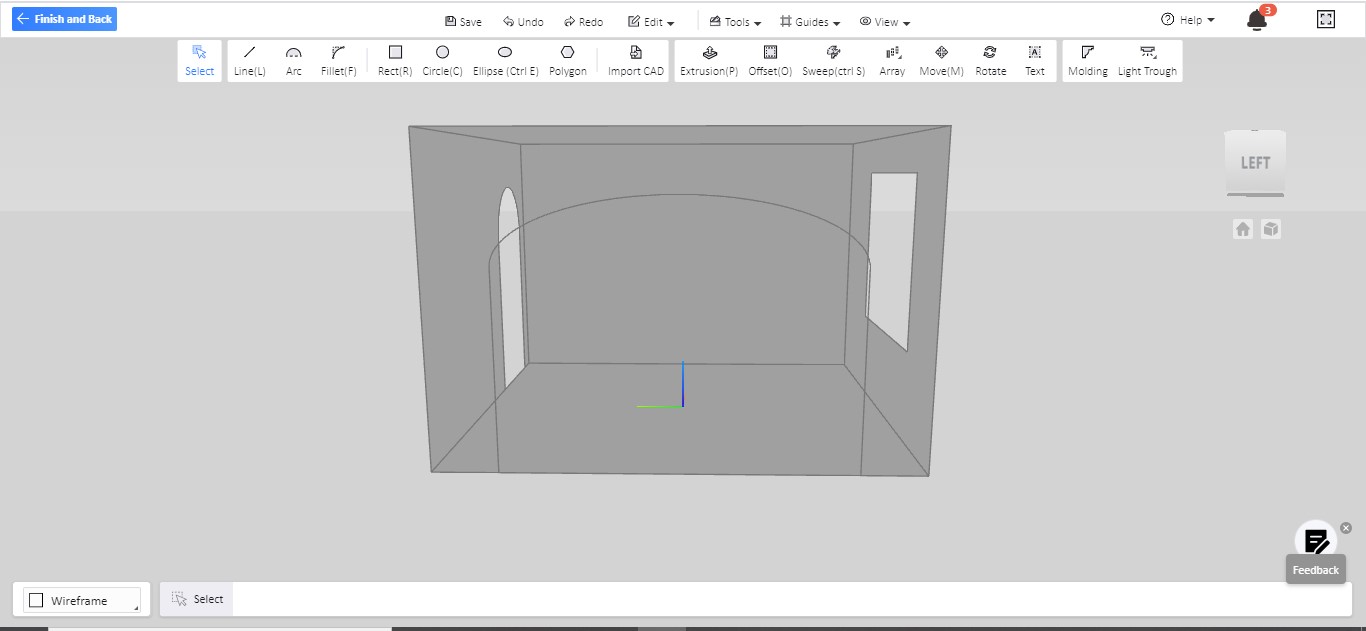
Homestyler has a separate modelling section mainly for 3d modelling while in Foyr, you can simply switch between the modes and make your edits that way. I preferred Homestyler’s version because I can fully customize the space even if I already have furniture items added. With Foyr, I had to take out all the furniture items I had in order to have a blank slate to design.
Model Upload
I wanted a more robust review so I tried the model upload feature for both tools. NOTE: Not everyone will need this feature in order to design or conceptualize your space. As I mentioned earlier, Foyr has a wider variety of newer furniture items that you can access and buy in store. As a designer, showing the actual furniture pieces a client will have in their space when they view their render vs an idea of what the furniture will look like is the difference between a happy client and an extremely happy client.

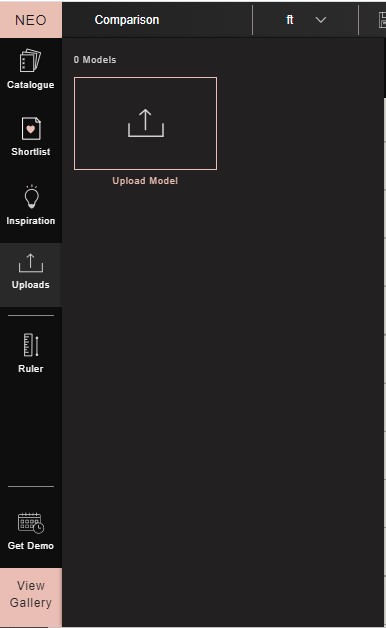
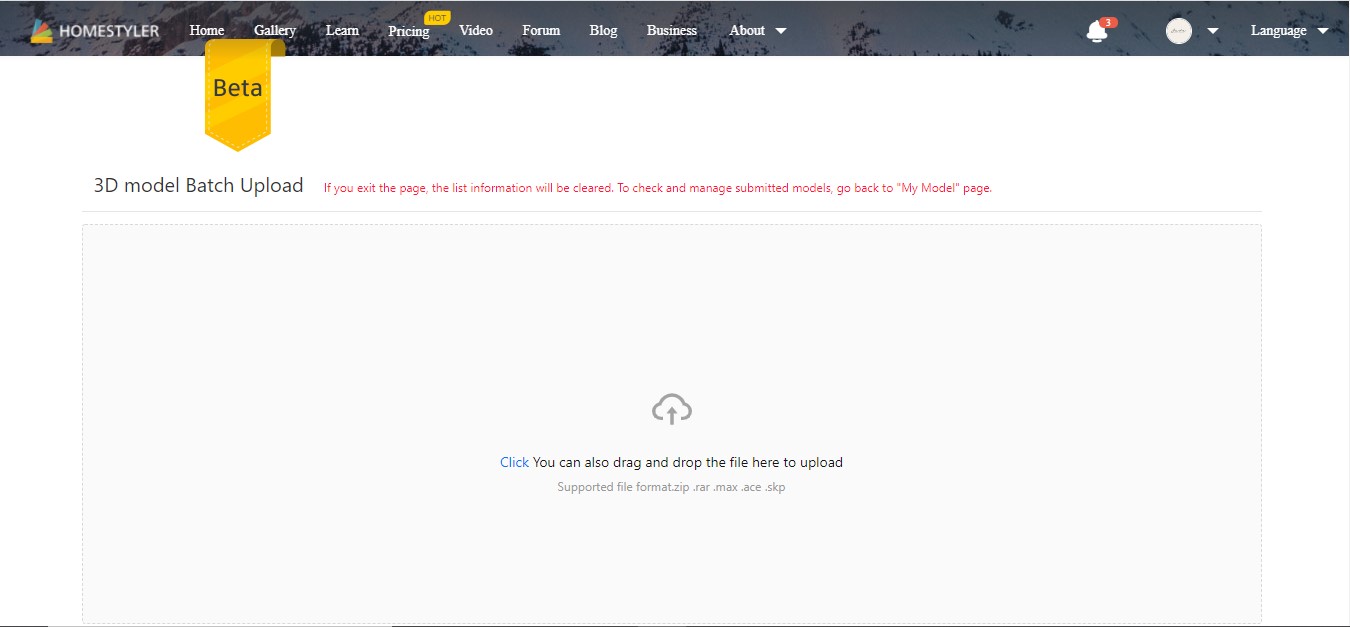
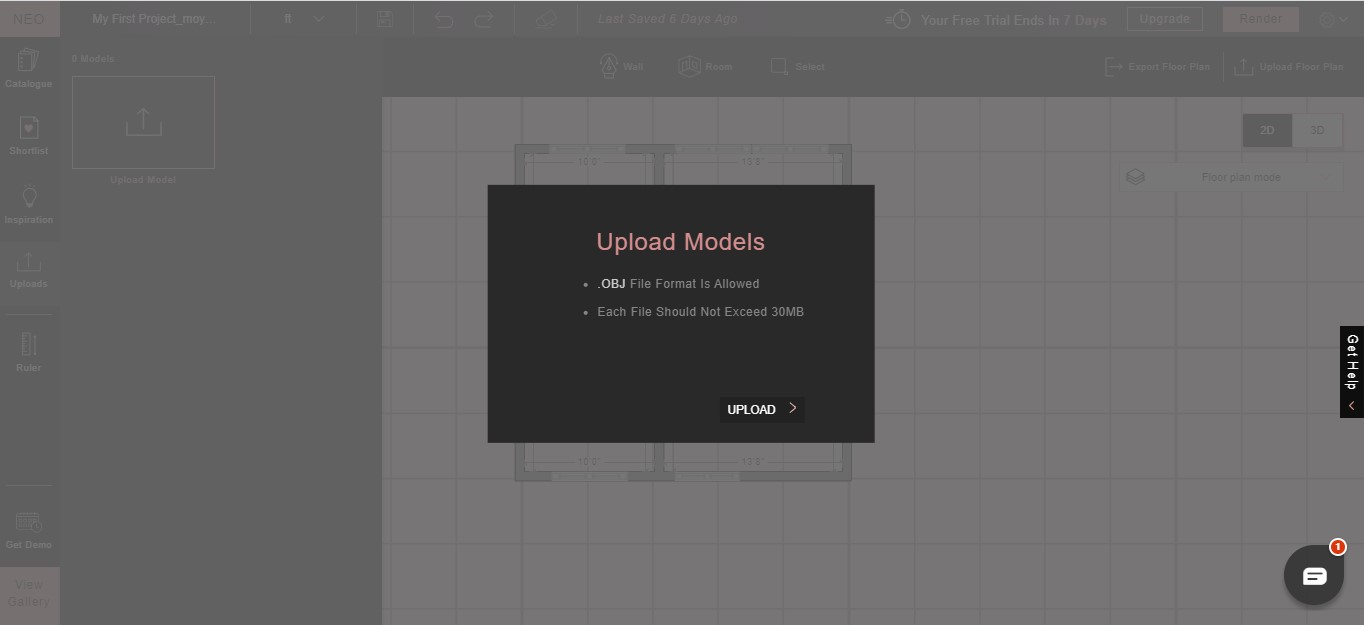
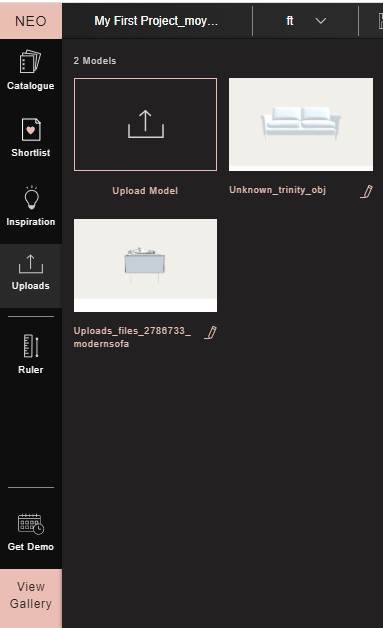
The requirements were pretty simple in Foyr. All I had to do was upload a .OBJ file of the furniture item and it was a straightforward process. I uploaded the file and updated the measurements then added it to my design. In my design, I used the existing textures in Foyr and I was good to go. In Homestyler, I had a range of file options and I chose a .MAX file. However, uploading a 3D model on homestyler has a lot of steps. You have to upload, edit, approve then you’ll be able to see the model. And I didn’t like that I had to go through several pages to get it done but it was simple enough to follow through the process. I was able to successfully upload a model and add textures etc.

Rendering
With homestyler, everyday I log in, I get 5 points on my account which is the cost of 1 ultra HD render. Due to the fact that I can preview my render for free, I can make adjustments as needed before rendering in ultra HD. However, I can render for unlimited times using the standard render or 1 render point for HD. I upgraded to get the 4k render option which gives a slightly more realistic render than the ultra HD. As long as I log in daily and get my points, I can accumulate enough for multiple renders.
However with Foyr, you have to pay to use the preview function and with the trial version I am on, I only have 15 render points. It costs 1 credit for HD render and 3 credits for 2k or 4k renders so when you do the maths, I’m out of pocket and have to pay. Due to the fact that I haven’t used this tool before, the first 2 renders I did were absolutely bad due to lighting. Without a preview function, I had to do a bunch of trial and error to figure out how to fix it which depleted all my render points.


Customizations
I love that I can easily view my renderings on the homestyler mobile view and also download that way. With Foyr, when your render is complete, you get notified via an email and a download link which also gives me the option to download on mobile. Its handy to have an option to view my render directly on my phone without having to transfer from my laptop
Also Foyr has neat customization features like the option to customize the render with my logo, add filters and edit. Homestyler too has customizations where you can add filters and edit but Foyr has them beat with the option to upload your logo to brand your work.


Gallery / Inspiration
Both have gallery / inspirations for you to see what some great designers have already created using the tool. With foyr, you can import your inspiration to your design and re-design it to suit your needs. Homestyler has the template option with 4 pre-loaded designs that you can load in your design. I found this useful because if I was trying to figure out how to achieve something, I can just edit an existing model and figure it out.
Resources / Tutorials
Both have resources on youtube to learn how to do basic functions although, Foyr has a lot more tutorials and resources. I had to figure out a lot of things myself on Homestyler which took a lot of my time, but now that I know it, its easy. Maybe I should do some tutorials on youtube and be the change I want to see 😀
Final Thoughts

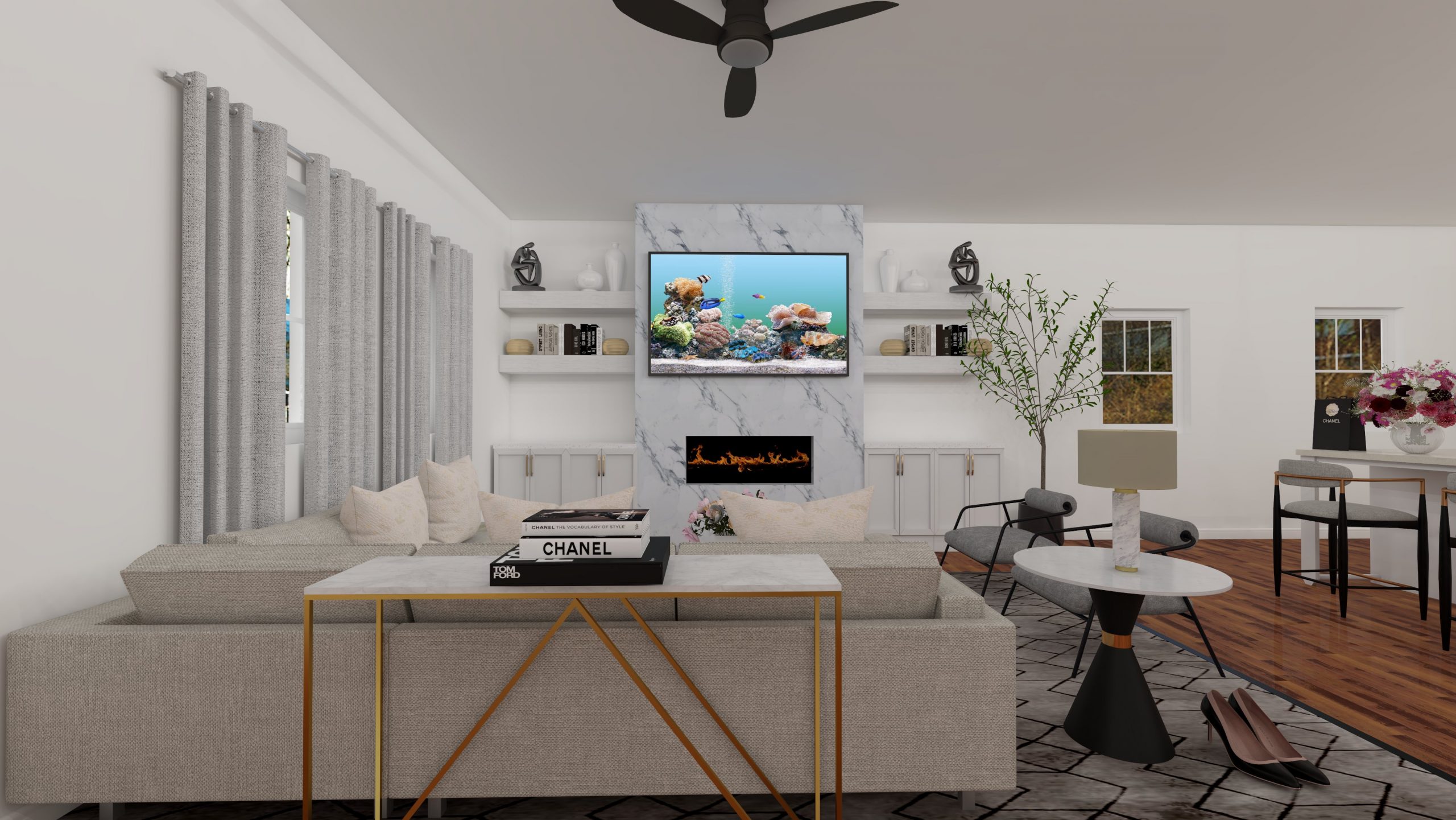
I love Foyr especially for the options they have in their catalogue. I was excited to see furniture items that I would source for my clients in their list. You should have seen my face when I saw the exact sectional I have in my home! Their tool is great and provides lots of flexibility and options. I wish Foyr had a free version to explore the tool before investing in it. As my 2 week free trial run out, I wish I had more time to use a lot more of the functions and get comfortable with the idea of paying for this tool. I’m unhappy that I wasnt able to figure out the lighting for the rendering but I was lucky enough to get 1 good rendered image for the purposes of this blog post. I think it is a great tool but will be best for students who are in the interior design space or designers who are working with paying clients. If you just want a tool where you can design your home and layout, then probably go for a free tool like homestyler.
I have been using Homestyler for a while now and I love what it has to offer. Its easy to use and most of all it is free to access. I wish they’ll update their catalog options and add newer models more frequently. The options there are not current which means regardless of if you are on the paid version or not, as a designer, you’ll have to upload your 3D models to get a more precise deliverable for your client. They add new items from time to time but there is a lot of room for improvement there. Creating 3D models in itself is a huge thing that I am learning right now and there are options to outsource this but that’s some extra overhead costs for a small business owner like me.
So what do you think? Have you used any of these tools? Which tool would you try if you haven’t? If you would like for me to do an indepth tutorial on some of the custom features, comment down below.

Hi! this is awesome. thank you for doing all of this… But I have one question: how do you link the items in your design to a procurement software. Do you use myDoma or Design Files for any of that? Is it easy to create a list from your design into a nice quote from either of these softwares? THANK YOU!
Thanks for your question. I use design files to send the shopping list from the design to my clients
Thank you for this helpful information! I am a graphic designer thinking of becoming an Interior Decorator. I’ve been playing with DesignHome app and Homestyler just for fun. I know I have a long road of learning before I can switch careers and I’m not sure what apps I should be learning. (I would only be a decorator, not a designer). One thing I don’t understand about Homestyler: Should you avoid resizing the furniture and objects? I would think if you enlarge things it wouldn’t be the accurate dimension to the room anymore. But I find if you don’t enlarge things they appear quite small. Any thoughts on this?
Thanks, Laura from Boston
Hi Laura, Thanks for reaching out. Regarding furniture sizes, I would resize a piece of furniture to the same measurements as that furniture or a similar furniture is in real life. I also make sure my room is to scale which should give me a good idea what that furniture piece (with the right measurements) will look like in the actual room. Hope this makes sense. Please let me know if you have any more questions.
Thanks for sharing!
I like what you said about uploading designs for possible remodels. My wife wants the living room arrangement and aesthetics changed. We’ll have to hire an interior designer to help out.
Hi I am about to have a laptop and I would love to start using your website to design my own rooms, homes, furniture etc I also have my best friend who is a past real estate agent who is willing to help me out with this. I am very very interested. Please email me back as soon as possible. Thank you. I just have a few questions.
Hi Jade, great post. I’m very conversant with Homestyler however I’ve not heard of the comparative site Foyr Neo. One thing I did want to glean from your experience regarding the actual renders is, which did you find to produce the better renders? From your pictures it would appear Homestyler produces more photorealistic renders?
As far as reviews by interior designers are concerned, this is just the perfect one. I hope to find more reviews like these.
Thank you so much for this blog; it is extremely helpful for me as I am venturing into this space and need to decide which software to get that will serve my needs. I really appreciate you comparing them side by side, and it was very helpful.
Thanks.
Hi Jade.
Loved your analysis. Which software are you using to make 3D models of the furniture?
Thank you so much for doing this. I worked at a firm where they only used Revit and Enscape and it is soo pushed to use it for interior design. I have knowledge of so many programs its hard to narrow down one that will suit my needs for a start up business. What program do you use for designing for you business?
This is excellent information. It is amazing and wonderful to visit your site. Thanks for sharing this information, this is useful to me.
Do you find that most of the tutorials on Homestyler are no longer accessible? It’s giving me pause to sign up for a subscription, when most of their tutorial videos are inaccessible at the moment. I know it’s been a couple of years since this post, but I cannot find answers anywhere else – Not even from Homestyler.
Hi Jade, Your review was very helpful. I am a homeowner and wish to update my kitchen and redesign my kitchen island, including moving it and altering another existing cabinet nook. Do you think, as a DIYer, I could use Homestyler to do this and be able to output drawings for a contractor?
In your blog, you mentioned uploading models and plans to HomeStyler, so I’m not sure whether you can do the whole project in HomeStyler, or whether it takes multiple programs.
Thanks so much!
Julie
Great Information sharing .. I am very happy to read this article .. thanks for giving us go through info. Fantastic nice. I appreciate this post.
Thank you for a really nice review.